Work completed
Restored the contact form
22 Sep · Fix. The form was failing on mobile. It sends again. This is the part the client pays for, written in their language.
For freelancers and agencies
A care retainer is hard to see until the scope sits in a website maintenance contract template. The work happens, the site stays up, and the client never gets proof. RetainerProof is that proof, in your name. It is not an uptime monitor, and it is not a maintenance suite. Post the work line from a script, or send it from n8n or Zapier as an HTTP request, or type it once in the dashboard. You do not write the client page by hand.
EU-hosted, GDPR-friendly · daily to monthly checks · cancel in the billing portal
What the client receives
The client does not get a dashboard. They get one branded page: the work you finished, a sentence they can read, and a plain note that the site was watched. We call that page a monitoring digest.
Work completed
22 Sep · Fix. The form was failing on mobile. It sends again. This is the part the client pays for, written in their language.
In plain language
A short summary for the month. No status codes, no clock in UTC.
The site, watched
The miss stays on the page. It is not hidden behind a green badge.
How the work gets on the page
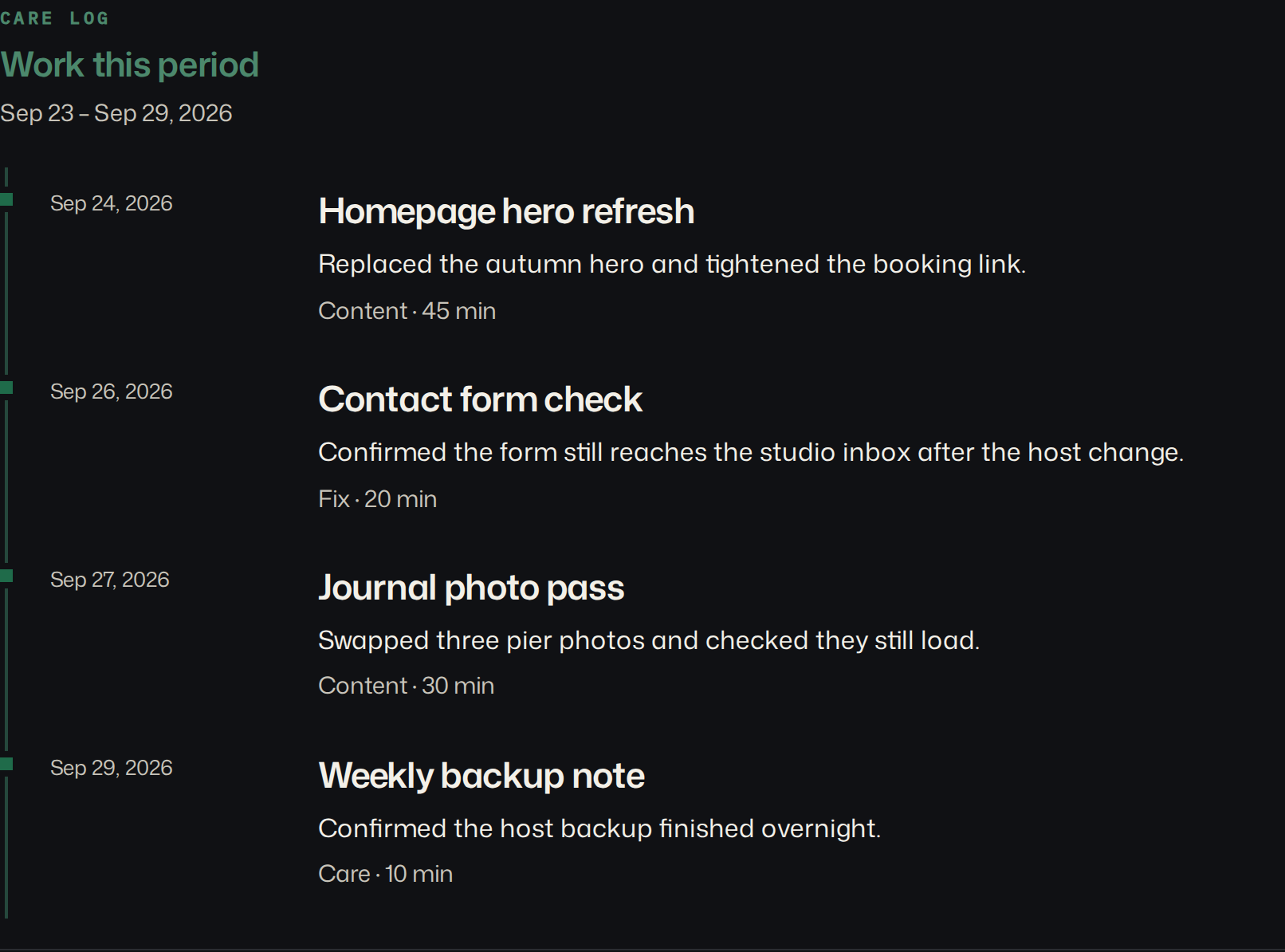
A busy week should not come out blank because nobody retyped every fix. Log the line where you already work. The dashboard form is one place. A script can post the same line. n8n and Zapier can too: there is no RetainerProof node and no Zapier app, just an HTTP request with your API key. The digest puts those lines under Work this period. If a week has no lines, that section is left off. The checks still show. The page is the proof of the care work, not an uptime monitor.
curl -s -X POST https://retainerproof.com/api/v1/sites/SITE_ID/work-log \
  -H "Authorization: Bearer rp_live_…" \
  -H "Content-Type: application/json" \
  -d '{"title":"Contact form restored","category":"Fix","minutes":20}'
The key is created in Brand settings and shown once. The same fields as the form: title, optional date, note, category (Update, Content, Fix, Meeting, or Other), and optional minutes. API docs.
What makes the report true
Uptime is the least interesting part, and it is still checked. The report only claims what a probe actually saw.
Between full checks, the homepage gets a live check every 15 minutes by default. Set it per site, down to 30 seconds. A Cloudflare or other WAF block is shown as unverifiable, not as down.
Domain expiry when the registry answers, plus the certificate date — the dates clients actually care about.
Performance, accessibility, best practices, and SEO. Visual proof is the homepage screenshot for this period, next to the previous one when we have it.
Add extra paths or API endpoints — up to 12 per site — and the expected status code, so you can see when the page is online.
When a site goes red we email you. The public status page shows current health only, not the work log. Visitors can subscribe for one email when the site goes down and one when it recovers. The report itself is website maintenance reporting for agencies. The sections of a WordPress maintenance report are the same letter for the other stacks. An API for scripts and agents can read status and log work, including from an AI agent. API docs · llms.txt.
Above the stack
RetainerProof does not update plugins, take backups, or install anything. It sits above the stack as the report you send.
Not a security scanner or malware audit. Not a full APM / server monitoring suite. Not an SEO rank tracker. Not a WordPress-only maintenance suite. It is care-plan reporting, and on the Agency plan the report can be white-label.
Simple on purpose
Recommended
Studio
$29 / month
Starter
For trying it on your own sites.
$9 / month
Agency (White-label)
$79 / month
EU-hosted, GDPR-friendly infrastructure.
An app pack is a status page for one app you operate, with up to 3 services (an API, a database, a frontend) on that one page. It does not use a site slot and it does not send a care digest. An extra pack is $5/month when that Stripe price is configured. Studio includes one. Agency includes three. Starter includes none. Included packs count only while the subscription is active. If you already bought a pack, change the quantity in the billing portal.
Cancel in the Stripe billing portal. You can do that at any time. If the subscription is set to end with the billing period, checks keep running until that date and you can resume before then. When the subscription ends, checks stop. Sites and past digests stay. We do not store the card number, and we do not promise a refund beyond what Stripe shows.
Checkout accepts a promotion code if you already have one. No code is listed here. A code applies only when Stripe has it for that price, and the plan turns on only after Stripe confirms the checkout.
Coming soon
What else do you need? Email.
No. RetainerProof is a client website report for retainers: the work you logged, uptime, certificates, and domain dates. It is not a vulnerability assessment, a malware cleanup, or a backup product.
No. Any public URL works. React, Next.js, Webflow, Shopify, WordPress, Framer, and custom builds are the stacks I name because the check does not install anything. There is no plugin. Plugin updates and backups stay in the tools you already use. Mixed stacks use the same report, which is covered in website maintenance reporting beyond WordPress.
Homepage probes run every 15 minutes by default, or as often as every 30 seconds per site. The fuller check runs on the cadence you choose: daily, twice a day, weekly, or monthly, using a Europe/Berlin clock. That check records whether the public URL answered, the certificate date, the domain date, screenshots of the public page, and Lighthouse scores when a PageSpeed check runs. Paths you add are probed too. Email alerts go out when a site is red, and again while it stays red if reminders are on. The public status page is that reachability for the last 90 days. Days without a stored check stay blank. It does not include the work log. The work log is yours to write: a title, an optional note, a date, optional minutes, and one tag (Update, Content, Fix, Meeting, or Other). Type it in the dashboard, or post the same fields to POST /api/v1/sites/SITE_ID/work-log. A script can do that. n8n and Zapier can do it with an HTTP request. There is no RetainerProof node and no Zapier app. If nothing is logged for the period, the digest simply has no “Work this period” section. Nothing here updates a plugin or takes a backup.
An app pack is one status page for an app you operate, with up to 3 services such as an API, a database, and a frontend. It does not use a site slot and it does not send a care digest. An extra pack is $5/month when that Stripe price is configured. Studio includes one. Agency includes three. Starter includes none. Included packs are available only while the subscription is active. A pack you buy is its own subscription. If one is already on the account, change the quantity in the billing portal instead of starting another checkout.
Starter is $9/month for up to 5 sites. Studio is $29/month for up to 25 sites. Agency (White-label) is $79/month for up to 100 sites. Every plan includes daily to monthly checks, branded secret digest URLs, a public status page, extra checks, email alerts with reminders, and report history.
Hosting is in the EU on GDPR-ready infrastructure by default. On request we can also host outside the EU. The operator is DIGITAL AYNS LLC in Wyoming, United States — see Legal. We store your account email, a hash of your password, the brand settings you type, the public URLs you add, check results, screenshots of those public pages, and the work-log notes you write. Stripe charges the card. We do not store the card number. We do not sell personal data. The host, the mail provider, and the analytics on marketing pages are named on the privacy page.
Your studio name and accent lead the client digest and the public status page on every plan. Starter keeps a small Powered by RetainerProof link on both, including during a trial. Studio and Agency remove that link. That is the white-label switch: the logged-in app and these marketing pages still say RetainerProof. A status hostname is not a separate fee.
No. There is no free plan and no trial that starts a subscription. You can open a sample digest without an account. A paid plan is listed in pricing only when it can be purchased, and it turns on after Stripe confirms checkout.
Cancel in the Stripe billing portal from the app. You can do that at any time. If the subscription is set to end at the close of the billing period, checks keep running until that date, and you can resume in the portal before then. When Stripe deletes the subscription, or marks it canceled or unpaid, checks stop. A failed payment marks the account past due, and checks stay on while Stripe retries. Sites and past digests stay in the dashboard. Subscribe again when you want checks to resume. We do not promise a refund beyond what Stripe shows on the subscription.
Checkout for a plan, and checkout for an app pack, accept a promotion code if you already have one. No code is published on this page. A code works only if Stripe has it for that price. Typing a code does not activate the account by itself. A code that covers the whole charge still waits until Stripe confirms the checkout.
Ready when you are
From $9/month · Operated by DIGITAL AYNS LLC.