Guide
Client website reports that are not a WordPress dashboard
ManageWP is a WordPress operations dashboard. It updates plugins, runs backups, and lives in wp-admin. RetainerProof does not update plugins, does not take backups, and does not install anything on the site. If that is the job, I am not the alternative. The overlap is the client report.
What this is for
Use it when the client should see care without a WordPress login. The site can be WordPress, and it can also be anything else. Not only WordPress. Webflow, Framer, Shopify, a Next.js app, static HTML. If the URL is publicly reachable, it can be checked. No plugin is required.
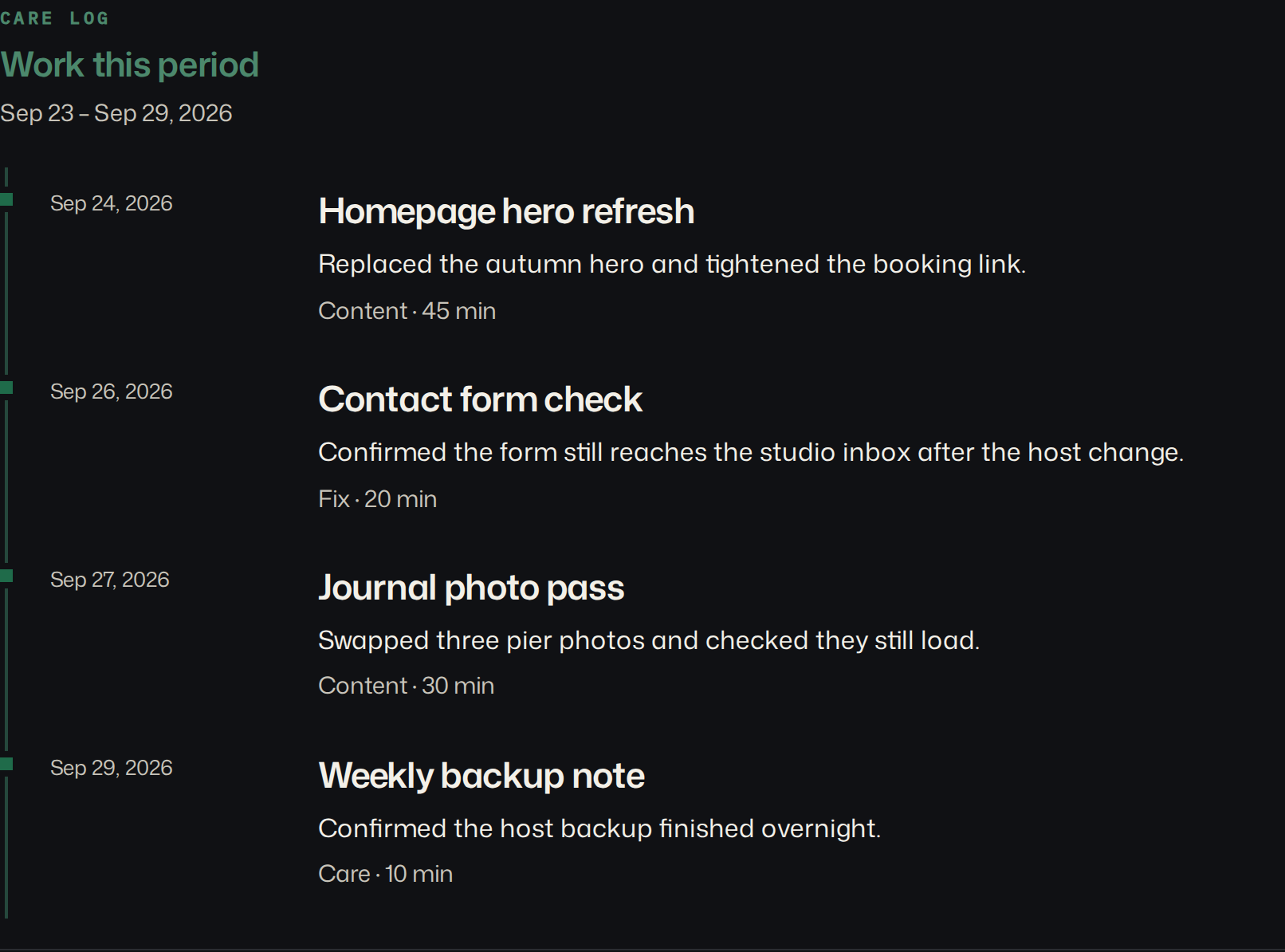
The client gets a client-facing digest link. They open that page. They do not get a dashboard account. Your name and accent lead it. On Studio and Agency the product link comes off. Call the page a client website report when you send it. Digest is the name inside the app.
The report shows homepage uptime from probes every 15 minutes by default (down to 30 seconds), fuller checks on your cadence, TLS and domain dates, a Lighthouse snapshot, and the work you wrote as outcomes. “Restored reliable email delivery,” with the DNS change underneath, not a list of plugin versions.
MainWP is the same kind of tool
MainWP’s Pro Reports add-on needs the MainWP Child Reports plugin on every child site. The Child Reports plugin on WordPress.org lists PHP 7.4 or newer. With the Advanced Uptime Monitor extension, those reports can include uptime. They can carry your logo and brand colors, and you can email them or save a PDF from the dashboard. I looked for a price on those pages and did not find one, so I am not inventing one.
I am not giving MainWP its own sales page here. The longer version, including the Pro prices I could read and the split I actually use, is the MainWP alternative for client reporting. The search is the same intent as ManageWP: a client report that comes out of a WordPress dashboard. Their report is fed by software on the site. Mine is not. If you want the activity stream from the child plugin, keep the plugin. My work log will not reconstruct it.
ManageWP alternatives, by what the client receives
The lists that rank for “managewp alternative” compare updates, backups, and price per site. The wider 2026 list is ManageWP alternatives for agencies. If the report is why you are leaving, the better question is what lands in the client’s inbox. Here is what each vendor’s own page said when I read it on 25 October 2026.
| Tool | Client report, as the vendor describes it | Price on the vendor’s page | On the client’s site |
|---|---|---|---|
| ManageWP | Free: PDF download, with a ManageWP watermark, sent from a ManageWP address. Premium: no watermark, your own sender address, scheduled and bulk sending. | Premium report $1/month per site, or $25/month for up to 100 sites | Worker plugin |
| MainWP | Generate and send reports, listed as a free feature. Pro Reports needs the Child Reports plugin. | Free core. Pro $29/month, $199/year, or $599 lifetime | MainWP Child, plus Child Reports |
| WP Umbrella | White-label client reports, included in the one plan. | €1.99 ($2.19) per site per month | WP Umbrella plugin |
| WP Remote | Scheduled reports on the free plan. White-label email or PDF from your address on Essential. | Essential $1.99 per site per month | WP Remote plugin |
| RetainerProof | A link to a branded page. The work you wrote, uptime, certificate and domain dates, a Lighthouse snapshot. No PDF attachment required, though one can be downloaded. | $9, $29, or $79 a month for 5, 25, or 100 sites | Nothing |
The first four also update plugins and take backups. RetainerProof does neither. That is the trade.
What goes wrong with the report after you switch
None of the comparison lists talk about delivery: whose address the report comes from, and whether you can drop a section a client should not see. The forum posts do.
- In r/Wordpress, October 2023, AdmiralObvious2020 switched ManageWP reports to send from their own domain and then received a copy of every report at that From address. They said the ticket had been open about 18 months.
- In another thread, April 2023, brdaron, with over 200 sites, said WP Umbrella would not remove the bundled performance and uptime figures from its reports, which was a problem for their white-label partners.
- On the ManageWP Worker support forum, an agency with more than 100 sites listed PDF report generation as “randomly working” and sending through Office 365 as not working.
Those are old posts and single accounts. The vendors may have fixed them. Test the thing anyway before you move fifty clients: send yourself a report from the new tool, from your own address, and see what arrives. Check that you can hide a number you do not want a client to quote back at you.
Whatever you pick, the sections are the same. They are on the WordPress maintenance report page with a sample, and as a blank on the maintenance report template.
A link avoids part of that. The client opens a page, so there is no attachment to bounce and no sender to spoof. You still need your own mail to tell them the link exists.
What I actually send
I leave ManageWP or MainWP on for the WordPress chores. I do not forward their PDF as the client report. The client gets the RetainerProof link, with two outcome lines and the checks. If they want the plugin list, it stays in the dashboard I already have open. Two tools, two jobs. The mistake is using the operations report as the proof of the retainer.
I also do not send the client a login to RetainerProof. One secret link is enough. If they forward it to a colleague, that is their choice. Rotating the link is there when someone who should not have it still does. The dashboard login stays with the people who update the site.
MainWP and ManageWP can both email a PDF from their own screens. I have no quarrel with that PDF if it is an operations log for you. I do not want it to be the only thing the client has ever seen, because then the retainer is “plugins were updated” forever. Put the outcome lines on the client page. Leave the suite running in the background.
When to keep the dashboard
Keep ManageWP or MainWP if the retainer is “update these WordPress sites and back them up,” and the client is happy with that report. Keep them if you need one login over many wp-admins. Ripping that out to paste the same facts somewhere else is extra work.
Leave the report to a separate page when the client should not have a wp-admin login, or when the next site is not WordPress. That case is website maintenance reporting beyond WordPress. The wording for a WordPress care plan is care-plan reporting. Both sit under reporting for agencies.
Start a client website report on a URL where you do not want another plugin. If the dashboard report already does the job, leave it.
Plans are Starter at $9/month for up to 5 sites, Studio at $29/month for up to 25 sites, and Agency at $79/month for up to 100 sites. Starter, including a trial, keeps a small Powered by RetainerProof link on the client digest and the public status page. Studio and Agency remove that link. Prices are on the pricing page.
Related guides
- Reporting for agencies
- Beyond WordPress
- Maintenance report template
- Uptime report
- Prove retainer value
- Care-plan reporting
- Client status pages
- MainWP alternative
- Quiet-month emails
- Reporting tools
- ManageWP alternatives
- Contract template
- Annual review
- Status page comparison
- Client work log
Also see pricing and a sample client digest.
Monthly agency tip
One tip a month.
One practical tip a month on proving your retainer is worth it. No spam.
I email a confirmation link before I add you. I store the address, this page, and the date. Unsubscribe any time. Read the privacy page.